Dashboard
The Home Dashboard provides a quick overview of key chat metrics, helping you monitor system usage, chat efficiency, and user engagement.
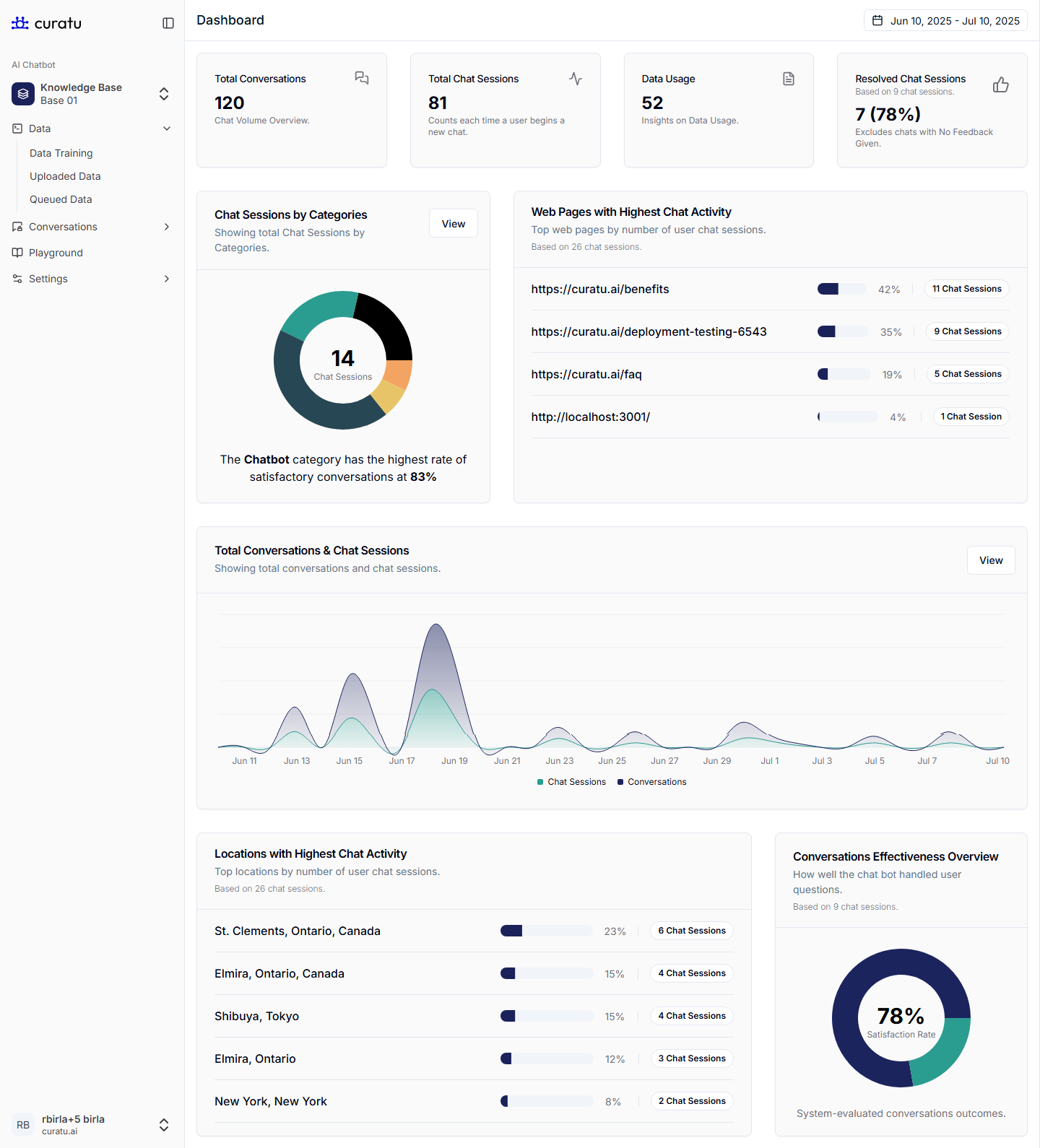
Dashboard Cards Overview
Total Conversations
Value: Displays the total number of conversations initiated in the selected date range.
Use: Helps track overall volume and user interaction levels.
Total Chat Sessions
Value: Number of unique chat sessions started.
Use: Indicates how many times users initiated a new chat (not messages, but entire sessions).
Data Usage
Value: Indicates how much content has been added to a specific knowledge base. A single-spaced A4 page is counted as one page. Note that one web page or one file may contain more or less than one page of content depending on its length.
Use: Helps you understand the total volume of data stored in a particular knowledge base.
Resolved Chat Sessions
Value: Number and percentage of chat sessions that were successfully resolved.
Note: This metric only includes chats that received an automated resolved or unresolved rating from our system. Since this feature was introduced after the initial launch, older chat history may not contain any ratings. The resolved or unresolved status is assigned automatically based on multiple parameters, including a detailed review of each conversation within the session.
Use: Measures support effectiveness and satisfaction.
Chart & Graph Sections
Chat Sessions by Categories
Data: Categorizes sessions based on chatbot intents or pre-defined categories.
Insight: Shows which category handled the most chats and highlights the satisfaction rate.
Web Pages with Highest Chat Activity
Data: Lists the URLs where users initiated chats.
Insight: Helps identify which pages drive the most user interaction with chat support.
Total Conversations & Chat Sessions
Chart: Timeline graph showing daily trends for both conversations and sessions.
Insight: Great for spotting traffic spikes and peak engagement periods.
Locations with Highest Chat Activity
Data: Highlights geographical areas with the most user chat sessions.
Insight: Helps tailor support strategies by region.
Conversations Effectiveness Overview
Metric: Satisfaction rate from system-evaluated conversations.
Use: Indicates how well the chatbot responded to queries, helping optimize response quality.