Playground
The Playground is a place where you can test how your chatbot responds to different questions using your uploaded data.
It works just like a chat screen. You ask questions, and the bot gives answers — based on the content you’ve trained it with.
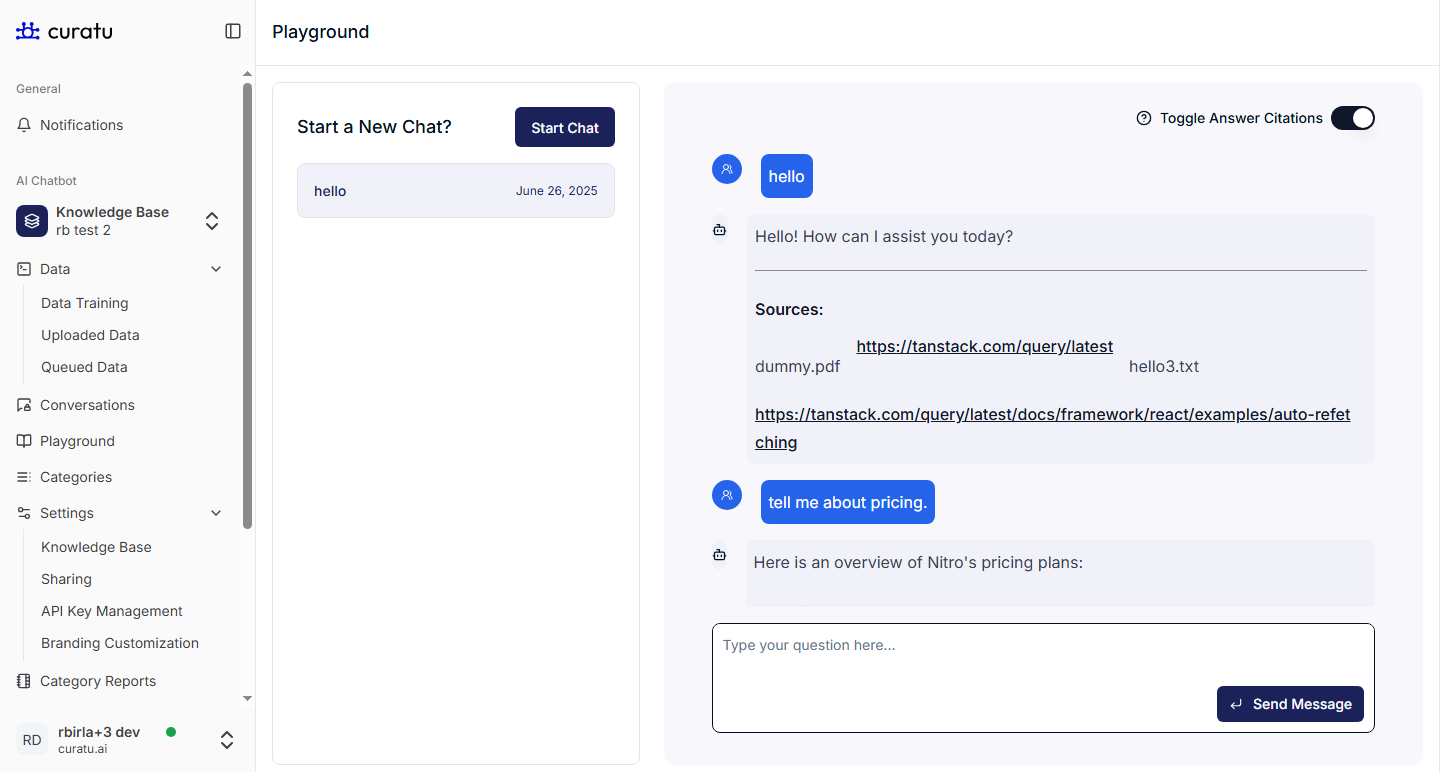
How to Use the Playground
- You’ll see a text area where you can type your message or question.
- Hit
Enteror click the Send button to talk to your chatbot. - The bot will reply using the data you’ve trained it with — like documents or URLs.
Example:
Let’s say you uploaded a document that includes this line:
“Our return policy allows customers to return products within 30 days of purchase.”
Now, in the Playground, you can test:
You ask:
What is the return policy?
Bot responds:
You can return products within 30 days of purchase.
That means your bot is working correctly with the uploaded document.
Start Button – New Conversation
The Start button resets the current chat. It creates a fresh conversation as if a completely new user is chatting with the bot.
This is useful for:
- Testing new questions
- Starting a new test without previous context
- Seeing how the bot behaves with unrelated queries
Toggle Answer Citation
This is a helpful tool for debugging and understanding how your bot finds answers.
When you turn ON “Toggle Answer Citation”, the chatbot will show:
- Which document or URL it read
- The exact file or section the answer came from
This helps you confirm if the bot is answering from the correct source.
Summary
| Feature | Purpose |
|---|---|
| Textarea | Ask your bot anything based on your data |
| Start Button | Begin a new, fresh conversation |
| Toggle Answer Citation | See which document or URL was used to answer |
Use the Playground to test and improve your bot’s responses — it’s the easiest way to make sure everything works before going live.