Shopify Integration
The Shopify Integration allows your chatbot to connect directly with your Shopify store.
Once connected, your chatbot can fetch product details, check inventory status, provide product recommendations, and assist customers with their orders in real time.
Purpose of the Integration
- Real-time product information — instantly display prices, descriptions, and availability.
- Order assistance (Not enabled by default) — help customers track and manage orders.
- Custom selling instructions — tailor chatbot responses to focus on specific product categories or avoid out-of-stock items.
- Regional customization — optimize recommendations based on the store’s region.
Fields in the Integration Form
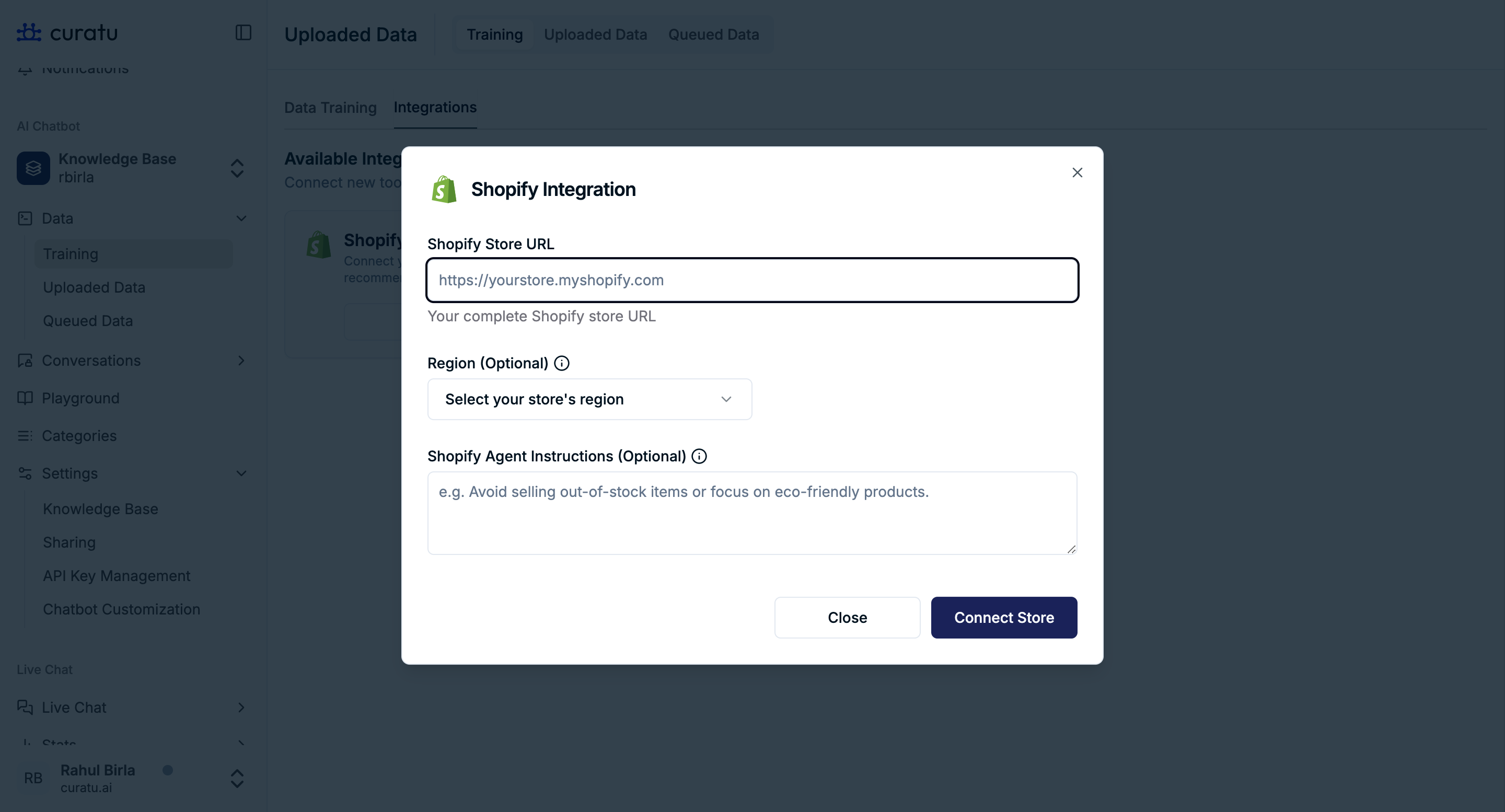
You need to provide the following details when connecting your Shopify store:
-
Shopify Store URL (Required)
- Your complete Shopify store URL (e.g.,
https://yourstore.myshopify.com). - This allows the chatbot to access your store’s product and order data.
- Your complete Shopify store URL (e.g.,
-
Region (Optional)
- Select the store’s operating region from the dropdown.
- Helps in providing more region-specific recommendations.
-
Shopify Agent Instructions (Optional)
- Add guidelines for how the chatbot should interact with Shopify data.
- Example: “Avoid recommending out-of-stock items” or “Focus on eco-friendly products”.
Connection Steps
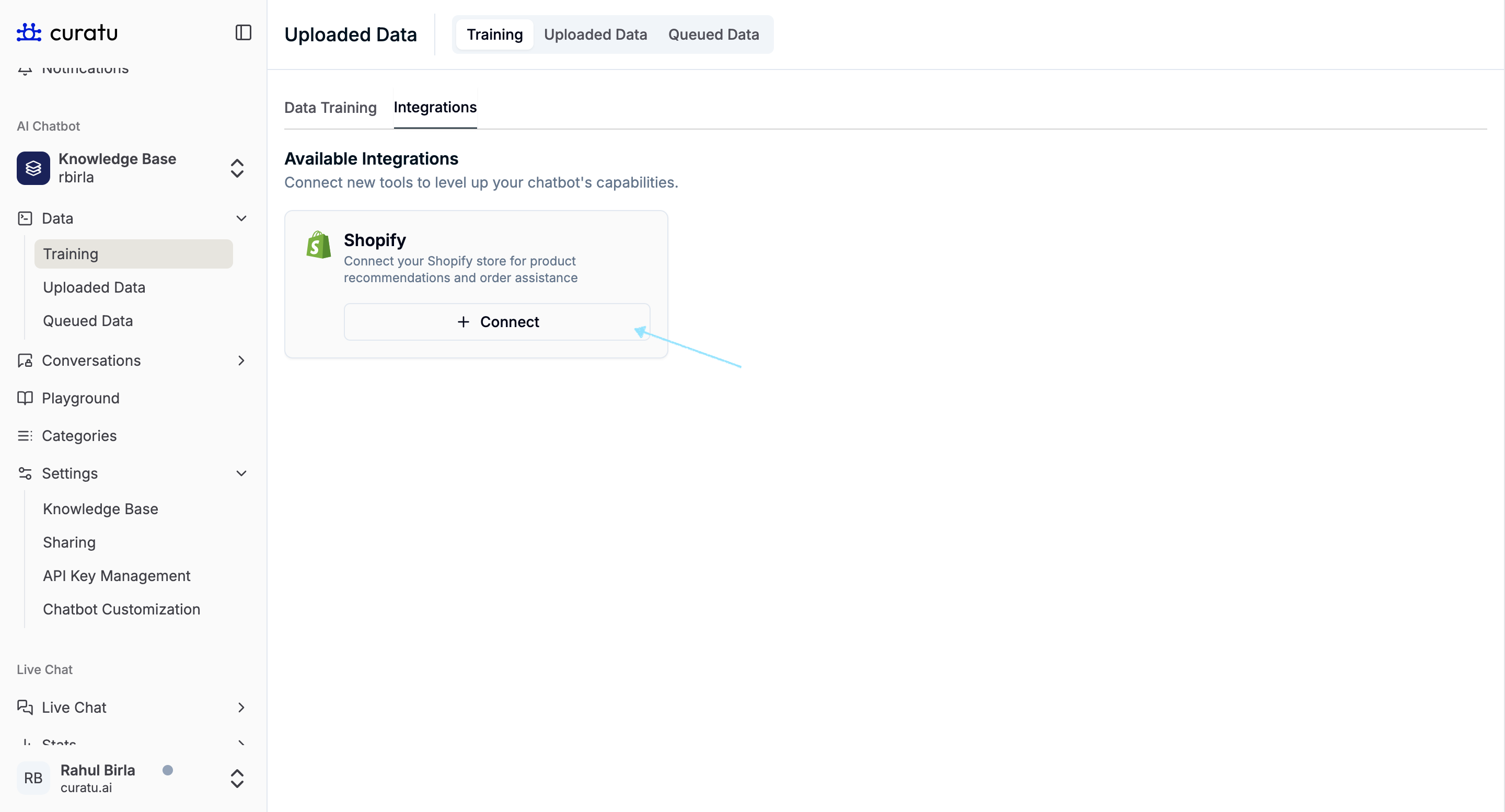
- Go to Data → Training → Integrations tab.
- Under Available Integrations, find Shopify and click Connect.
- Fill in the required fields:
- Shopify Store URL
- (Optional) Region
- (Optional) Agent Instructions
- Click Connect Store to complete the setup.
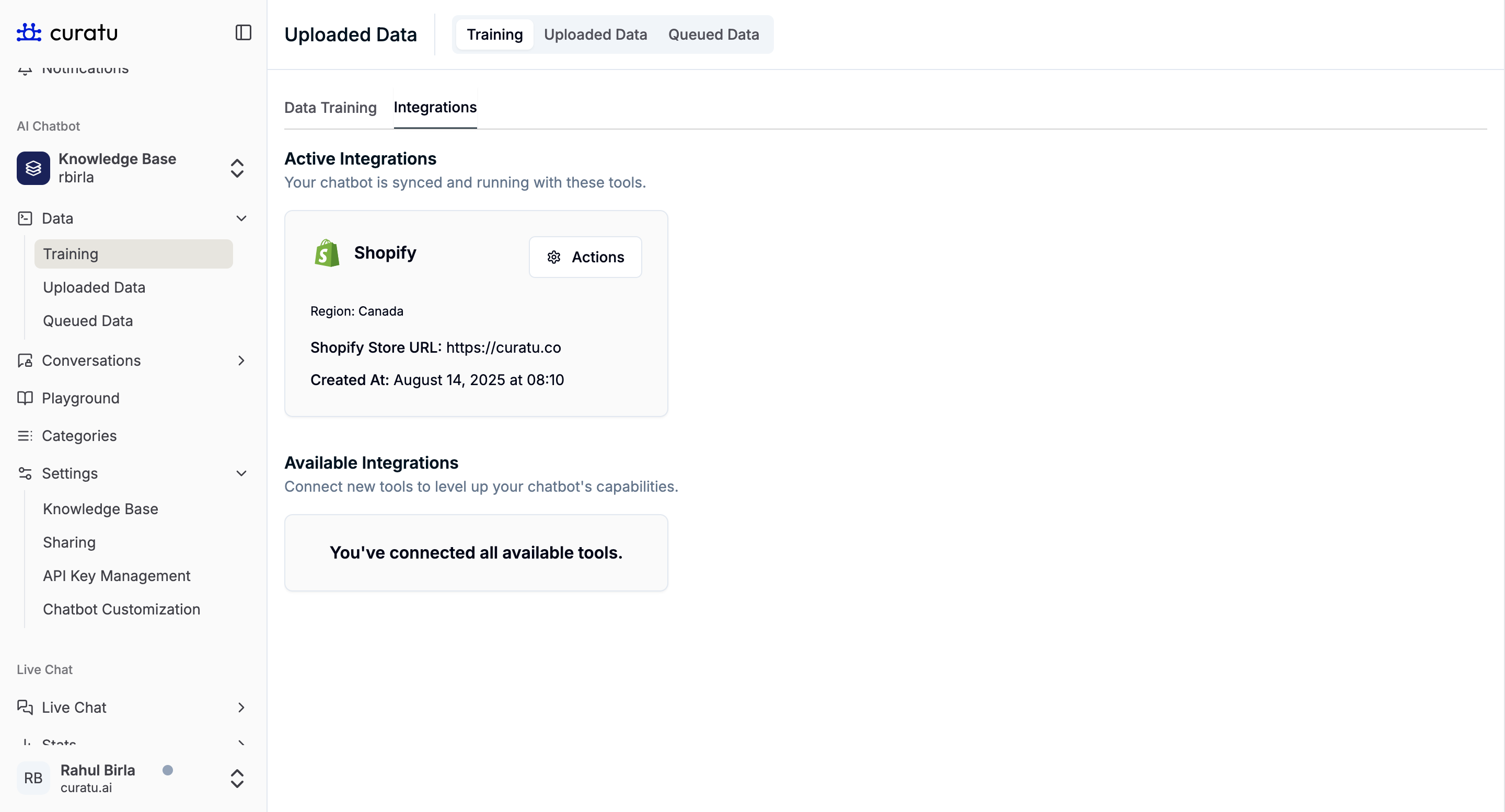
- Once connected, Shopify will appear under Active Integrations with store details.
Active Integration View
After successful connection, the Shopify integration card will show:
- Region
- Shopify Store URL
- Connection date and time
- Actions menu to manage or disconnect
Key Notes
- Ensure your Shopify Store URL is correct; incorrect URLs will cause connection errors.
- Adding Agent Instructions can improve the quality of chatbot responses.
- You can disconnect and reconnect Shopify anytime from the Actions menu.
Best Practices
- Keep your product inventory updated in Shopify for accurate chatbot recommendations.
- Use Region settings for localized offers and better customer targeting.
- Review Active Integrations periodically to ensure all connections are healthy.
- Test chatbot responses after setup to confirm correct integration behavior.