UI Configuration & Brand Styling (Version 1)
This section controls the core visual identity of the chatbot in Version 1.
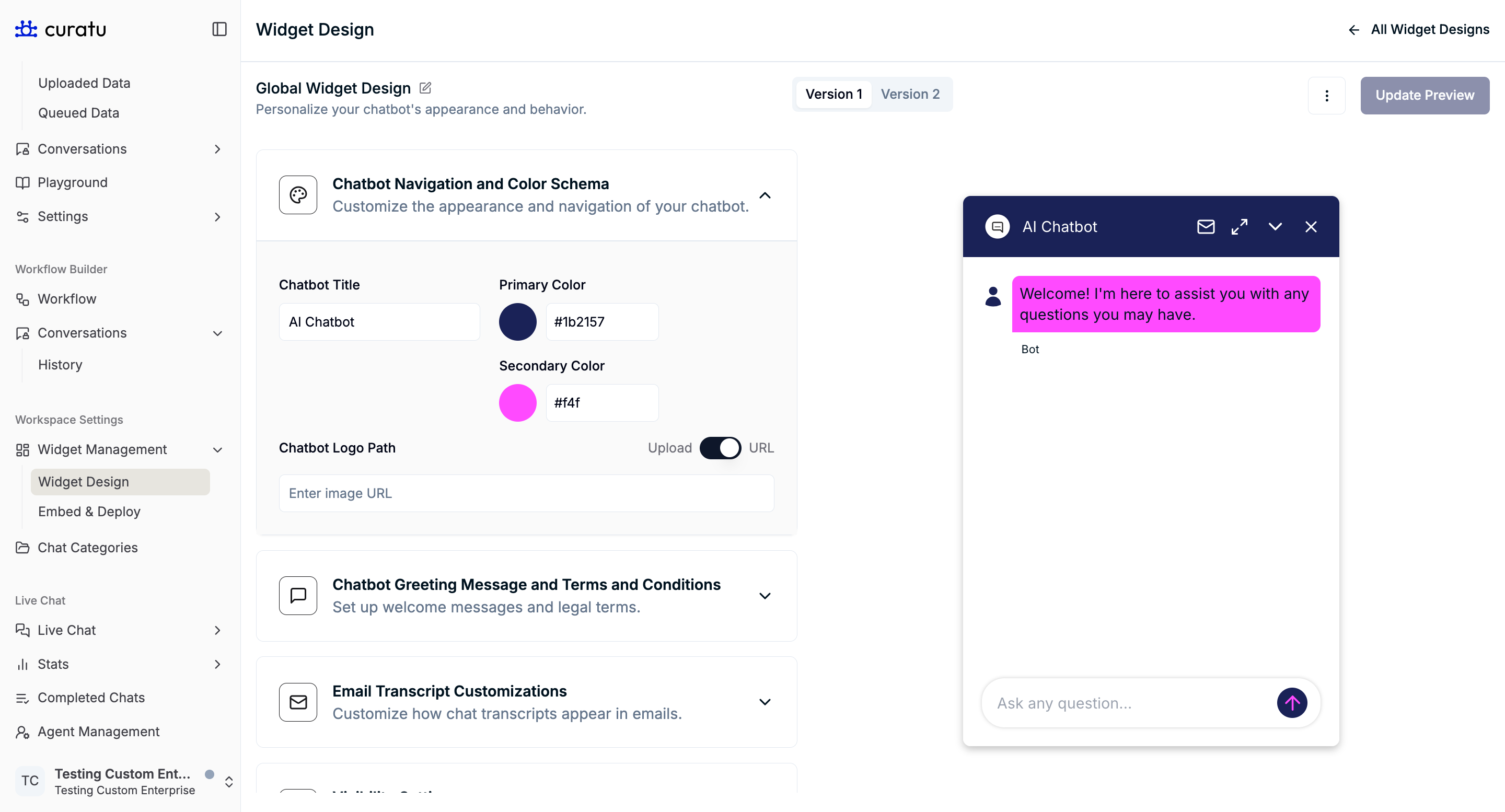
Chatbot Navigation and Color Schema
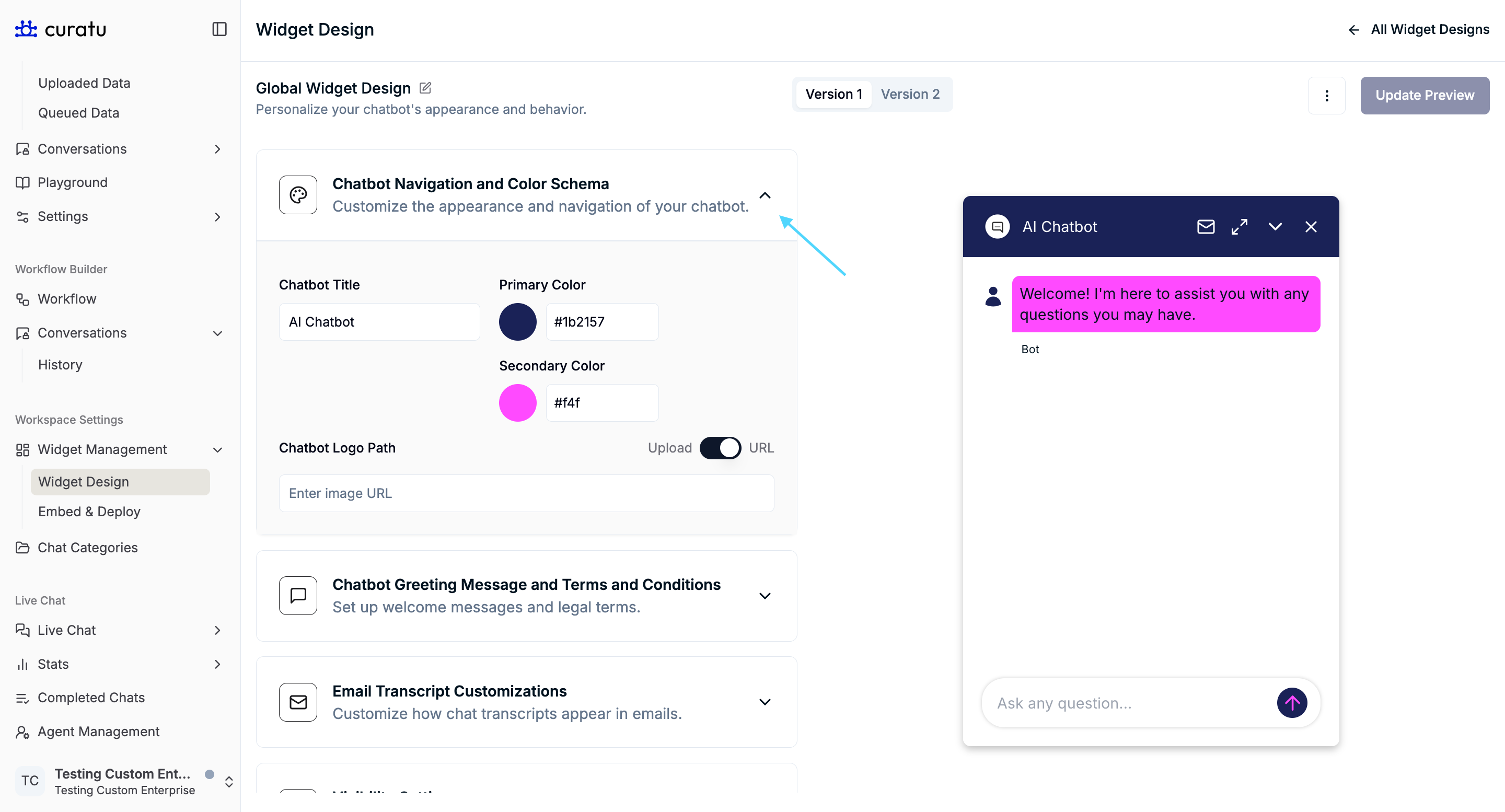
You can configure:
- Chatbot title
- Primary color
- Secondary color
- Chatbot logo (URL or upload)
These settings affect how the chatbot header and interface appear.
Chatbot Greeting Message and Terms and Conditions

This section allows you to define:
- Greeting message shown to users when the chatbot opens.
- Terms and Conditions content displayed inside the chatbot.
This helps communicate expectations and legal information clearly.
Email Transcript Customizations

This section controls how chatbot transcripts appear when sent via email.
Available options include:
- Email subject line
- Email body title
- Sender preview name
- Sender email address
- Email logo
- Email footer content
These settings only affect email presentation.
Visibility Settings

The Visibility Settings section controls which elements are visible to users.
Currently available option:
- Hide Email Transcript Option
When enabled, the email transcript option is hidden from users in the chatbot interface.
Summary
The Widget Design feature enables you to:
- Create and manage multiple chatbot designs
- Configure branding separately for each version
- Preview changes in real time
- Control greeting messages, email transcript appearance, and visibility
- Safely delete designs with dependency awareness
This feature is focused entirely on visual presentation and user experience, keeping design management isolated from chatbot behavior.