Agent Node — Settings
The Agent node is responsible for generating responses and performing actions within a workflow.
It defines how the AI behaves, what model it uses, how it remembers context, and whether it can interact with external tools.
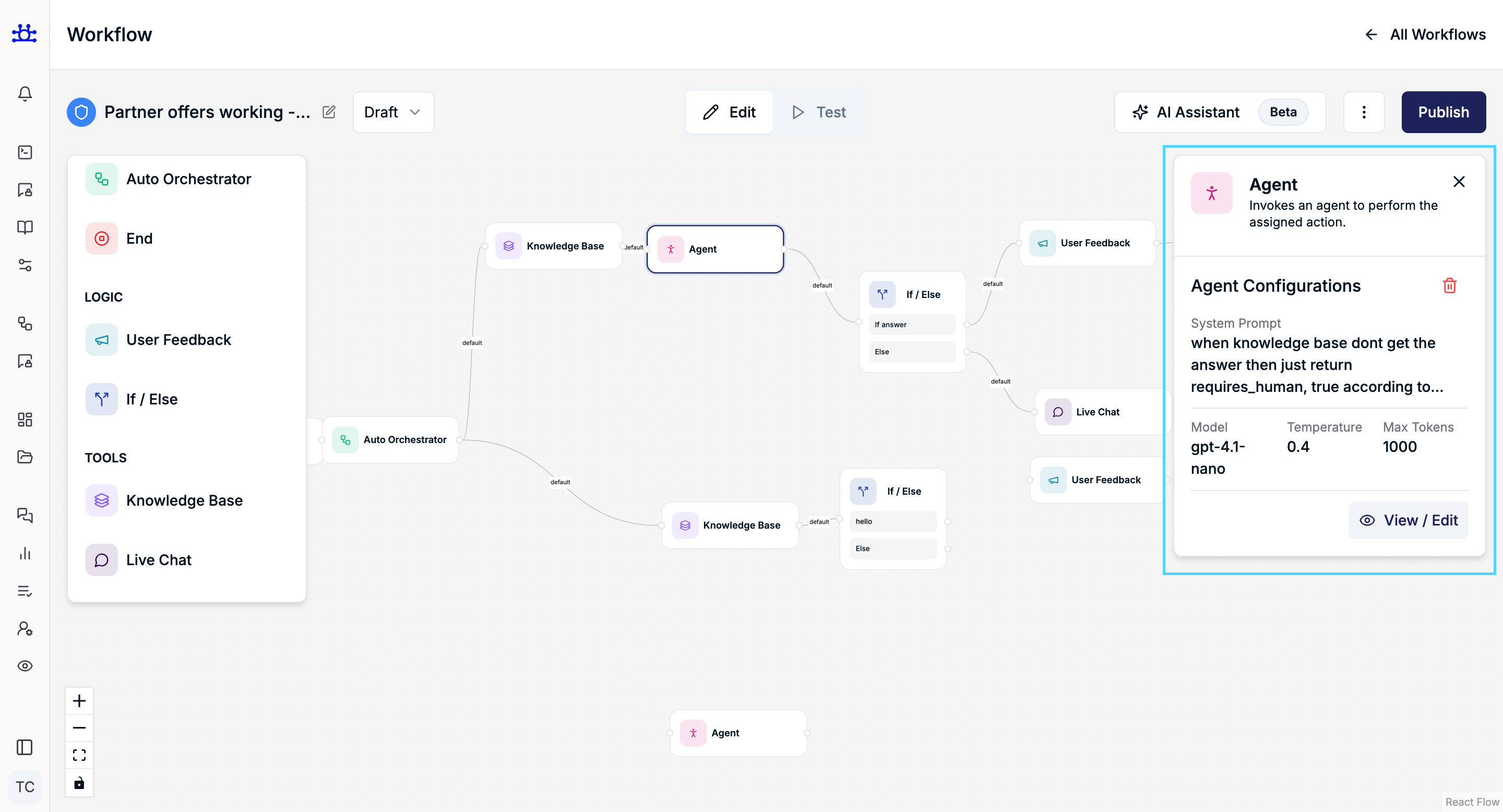
This document explains each setting clearly and conceptually so anyone can understand how to configure an Agent node.
Agent Configuration Overview
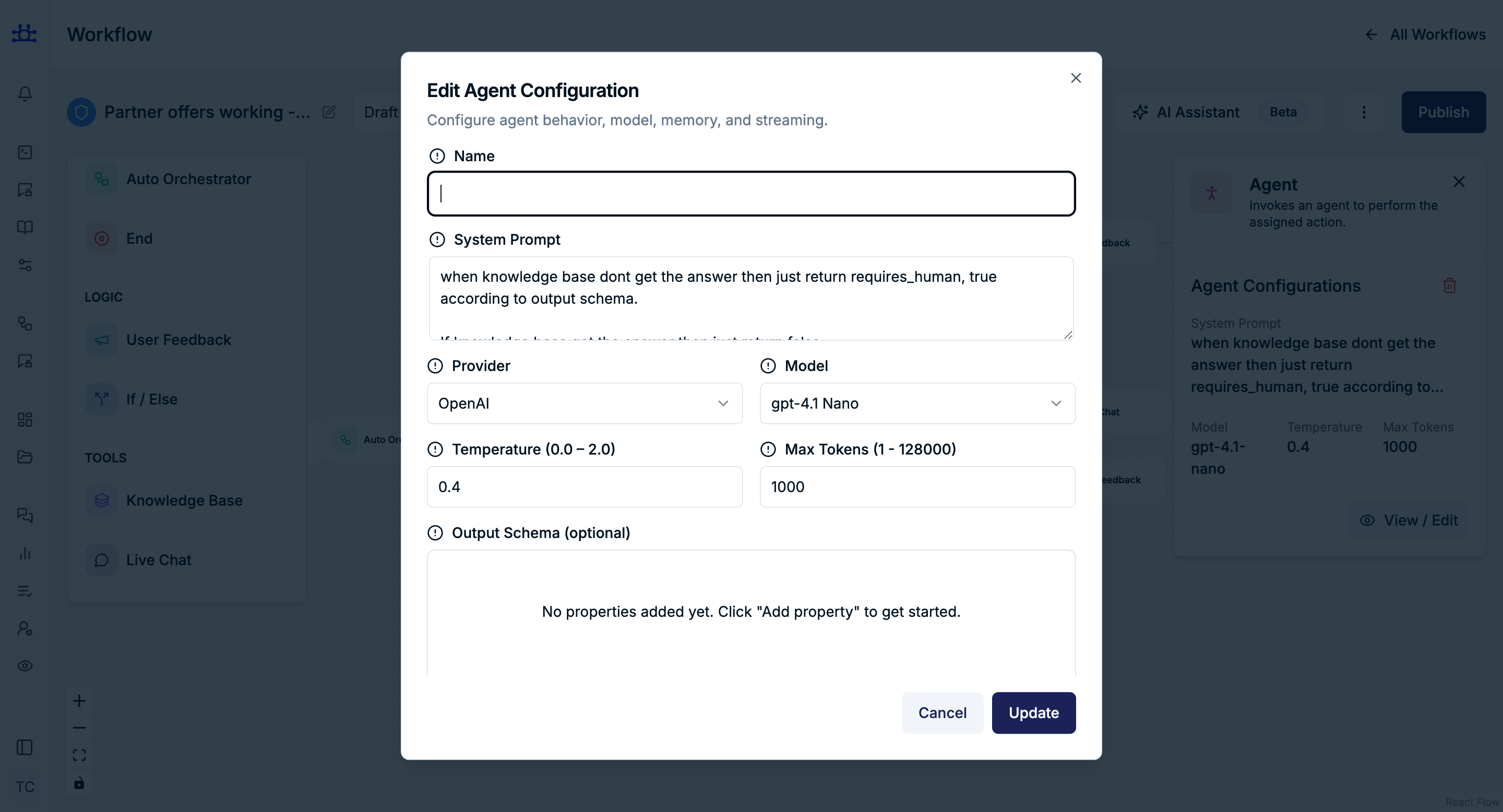
When you add an Agent node, you configure:
- Identity and behavior
- Model selection and response style
- Output structure (optional)
- Memory handling
- Tool integrations
- Streaming and answering behavior
Name
Purpose
Identifies the agent within the workflow.
Guidelines
- Use a clear, descriptive name (e.g., Support Assistant, Partner Rewards Agent).
- The name helps distinguish this agent from others in complex workflows.
System Prompt
Purpose
Defines the role, personality, and behavior of the agent.
What to include
- The agent’s responsibility
- Tone or style (formal, friendly, concise, etc.)
- Any high-level rules or boundaries
Example (conceptual)
“You are a customer support assistant helping users understand partner reward programs.”
This prompt guides how the agent thinks and responds, not what nodes do next.
Provider
Purpose
Selects the AI provider used by the agent.
Behavior
- Determines which platform supplies the language model.
- Available providers depend on your workspace configuration.
Model
Purpose
Chooses the AI model used to generate responses.
Impact
- Different models may vary in speed, accuracy, and cost.
- Model choice affects how detailed or concise responses are.
Temperature (0.0 – 2.0)
Purpose
Controls how creative or deterministic the agent’s responses are.
How it works
- Lower values (e.g., 0.2–0.5) → More consistent and predictable responses
- Higher values (e.g., 1.0–2.0) → More varied and creative responses
Typical use
- Support or compliance flows → Lower temperature
- Brainstorming or ideation → Higher temperature
Max Tokens
Purpose
Limits the maximum length of the agent’s response.
Behavior
- Prevents overly long outputs.
- Helps control response size and cost.
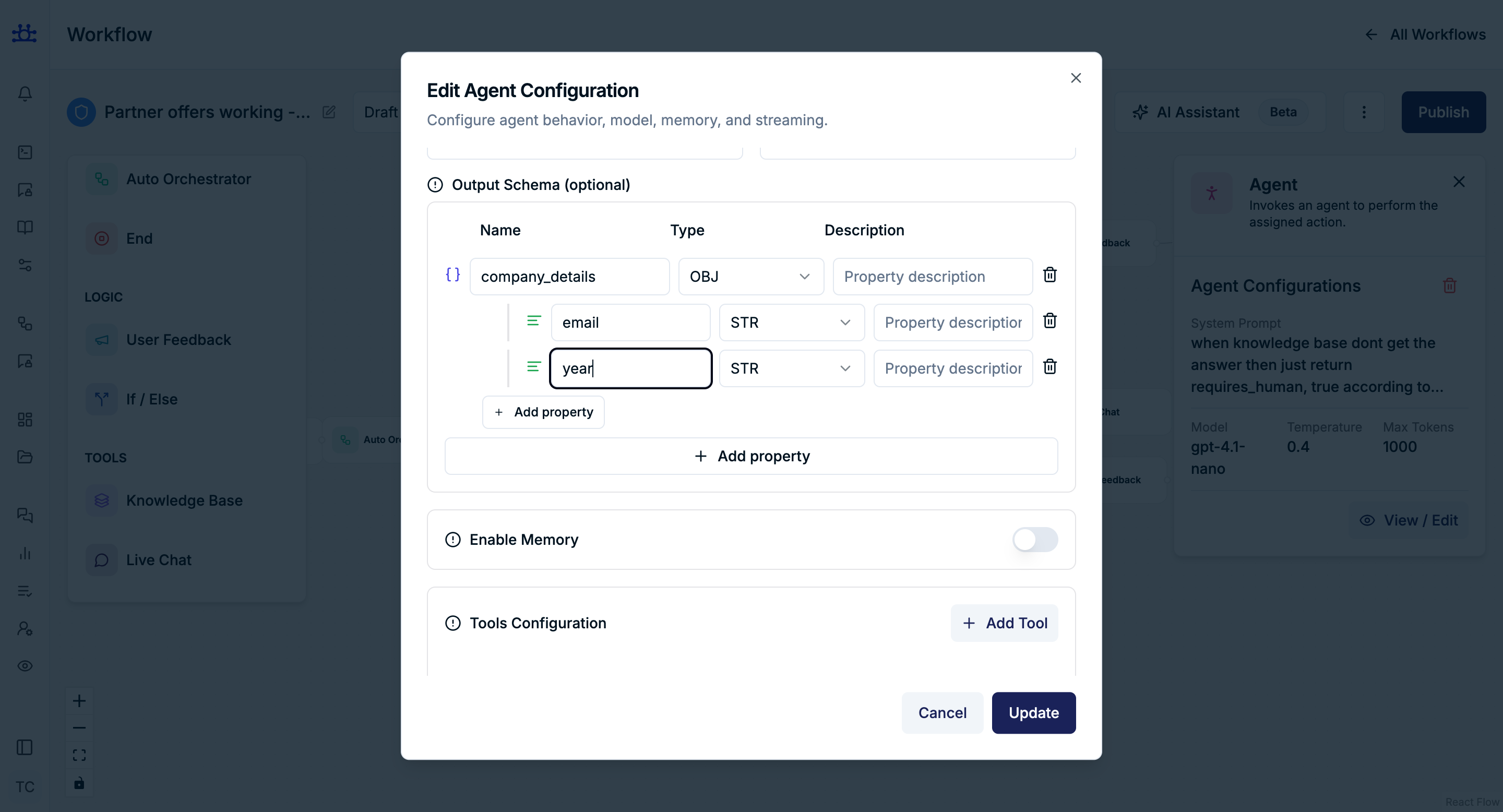
Output Schema (Optional)
Purpose
Defines a structured format for the agent’s response.
When to use
- When downstream nodes expect structured data.
- When consistency in output format is required.
Output Properties
Each property includes:
- Name – Identifier of the field
- Type – Data type of the value
- Description – What the value represents
Supported Types
STR– StringNUM– NumberBOOL– BooleanENUM– Predefined set of valuesOBJ– ObjectARR– Array
If no output schema is defined, the agent responds in free text.
Enable Memory
Purpose
Allows the agent to remember information from earlier messages.
Behavior
- When enabled, the agent can maintain conversational context.
- When disabled, each interaction is handled independently.
Use Case
- Enable for multi-step conversations.
- Disable for one-time or stateless interactions.
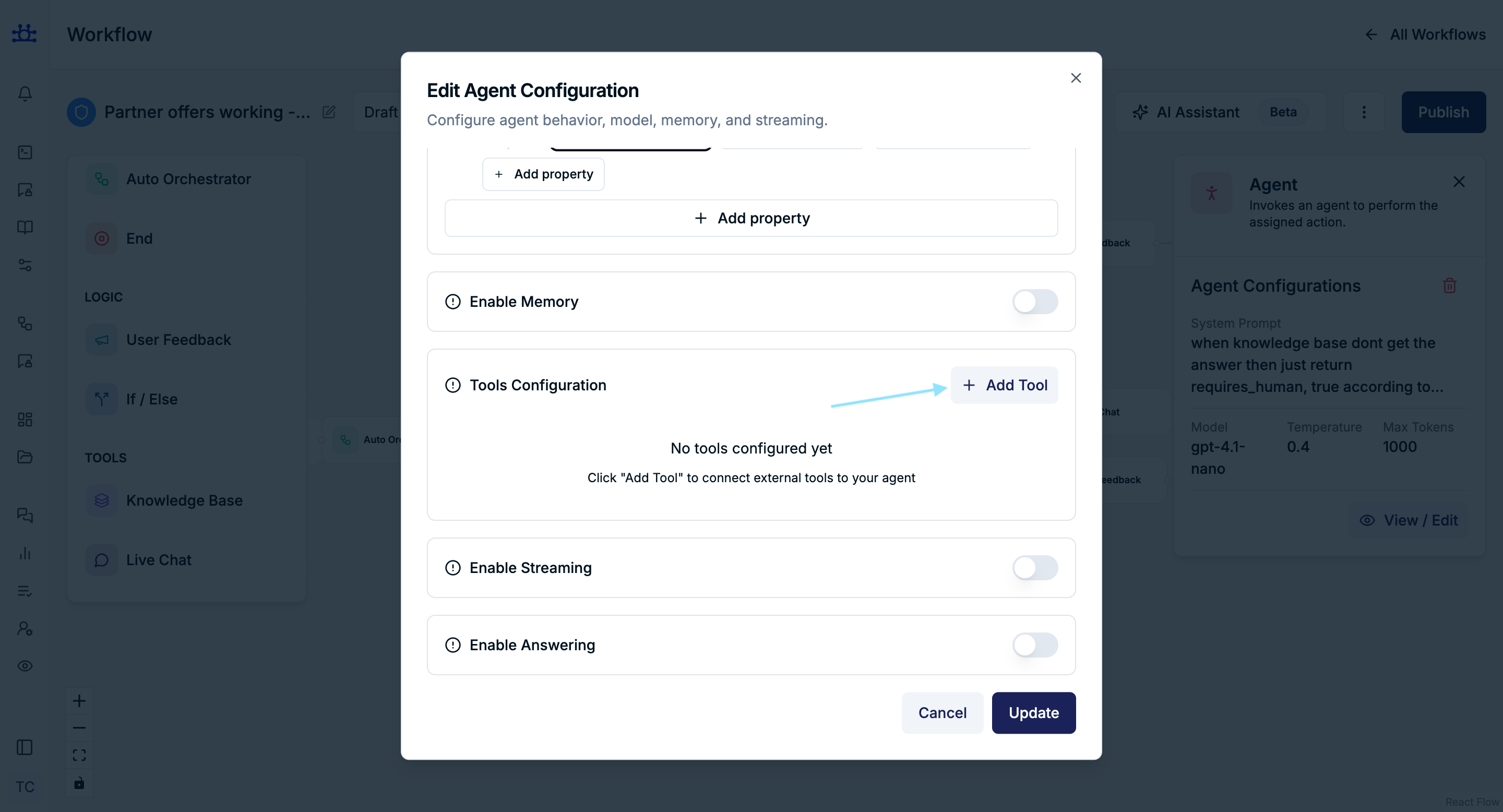
Tools Configuration
Purpose
Extends the agent’s capabilities by allowing it to interact with external systems or knowledge sources.
Adding a Tool
Click Add Tool to connect external services.
Tool Type: API Request
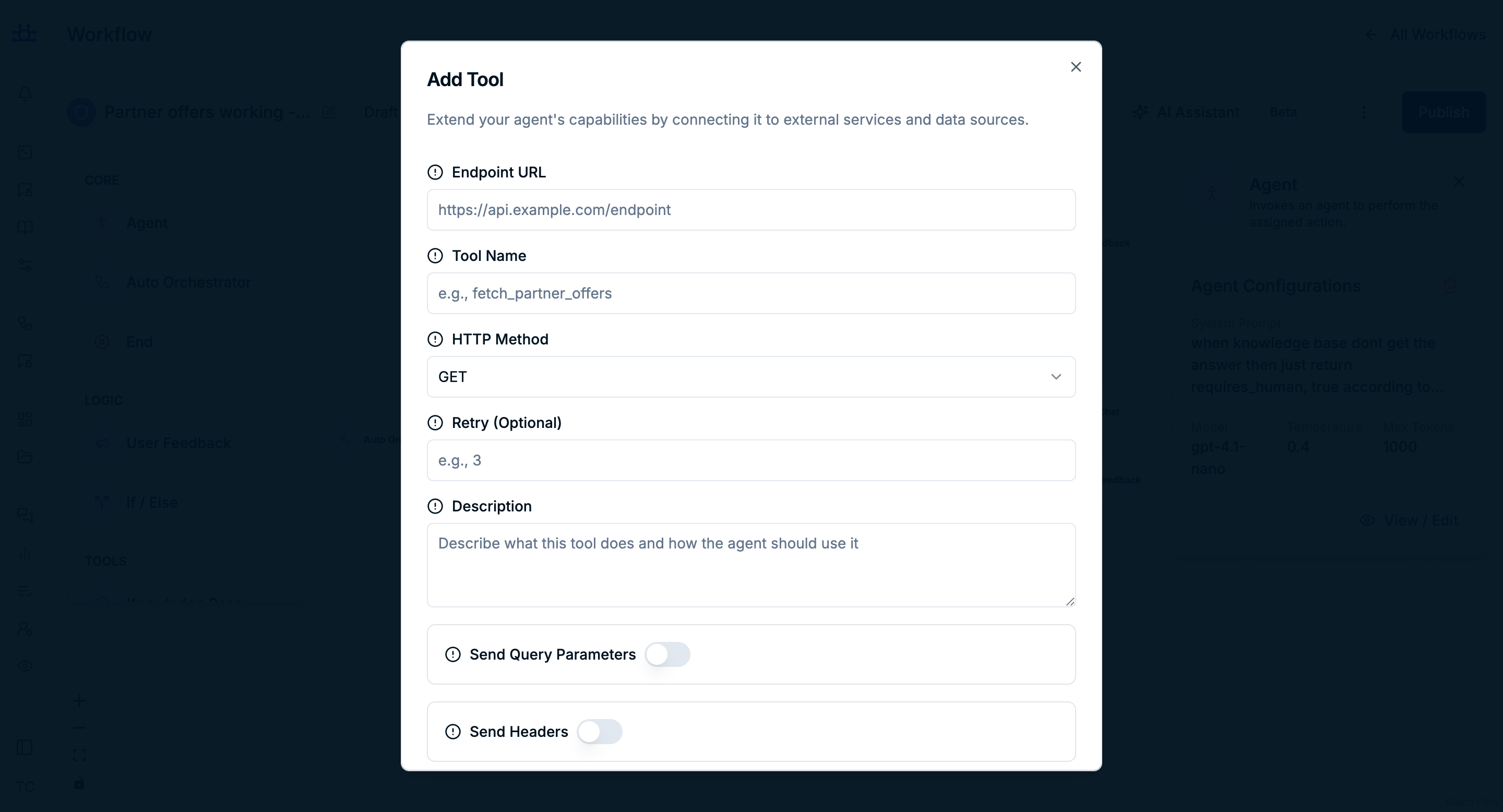
Allows the agent to call an external API during workflow execution.
API Request Settings
Endpoint URL
- The external API endpoint the agent can call.
Tool Name
- A short identifier used internally by the agent.
HTTP Method
- Determines how the request is sent (e.g., GET, POST).
Retry (Optional)
- Number of retry attempts if the request fails.
Description
- Explains what the API does and when the agent should use it.
Send Query Parameters
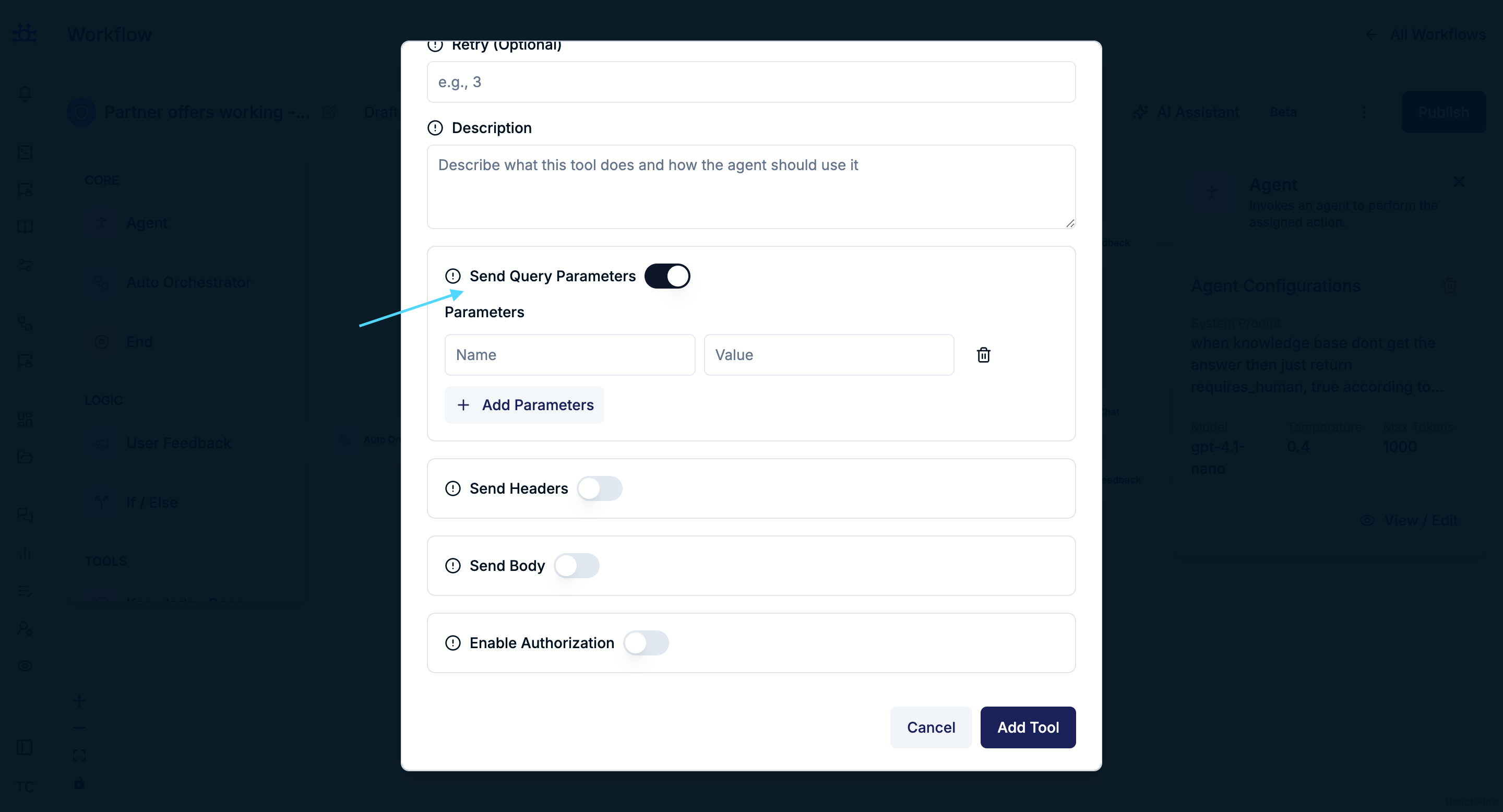
Purpose
- Adds query parameters to the API request.
Fields
- Parameter Name
- Parameter Value
Send Headers
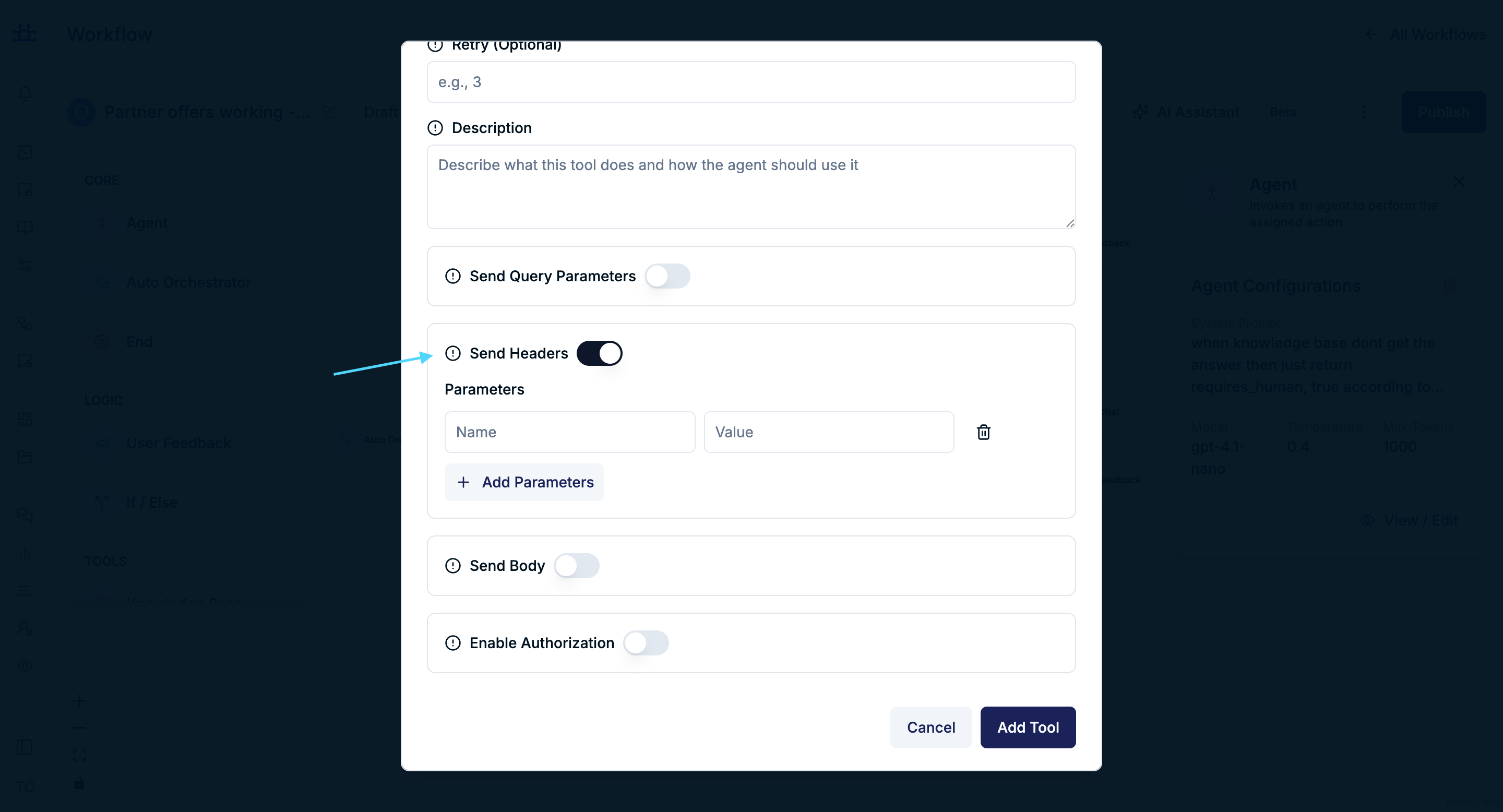
Purpose
- Adds custom headers to the API request.
Fields
- Header Name
- Header Value
Send Body
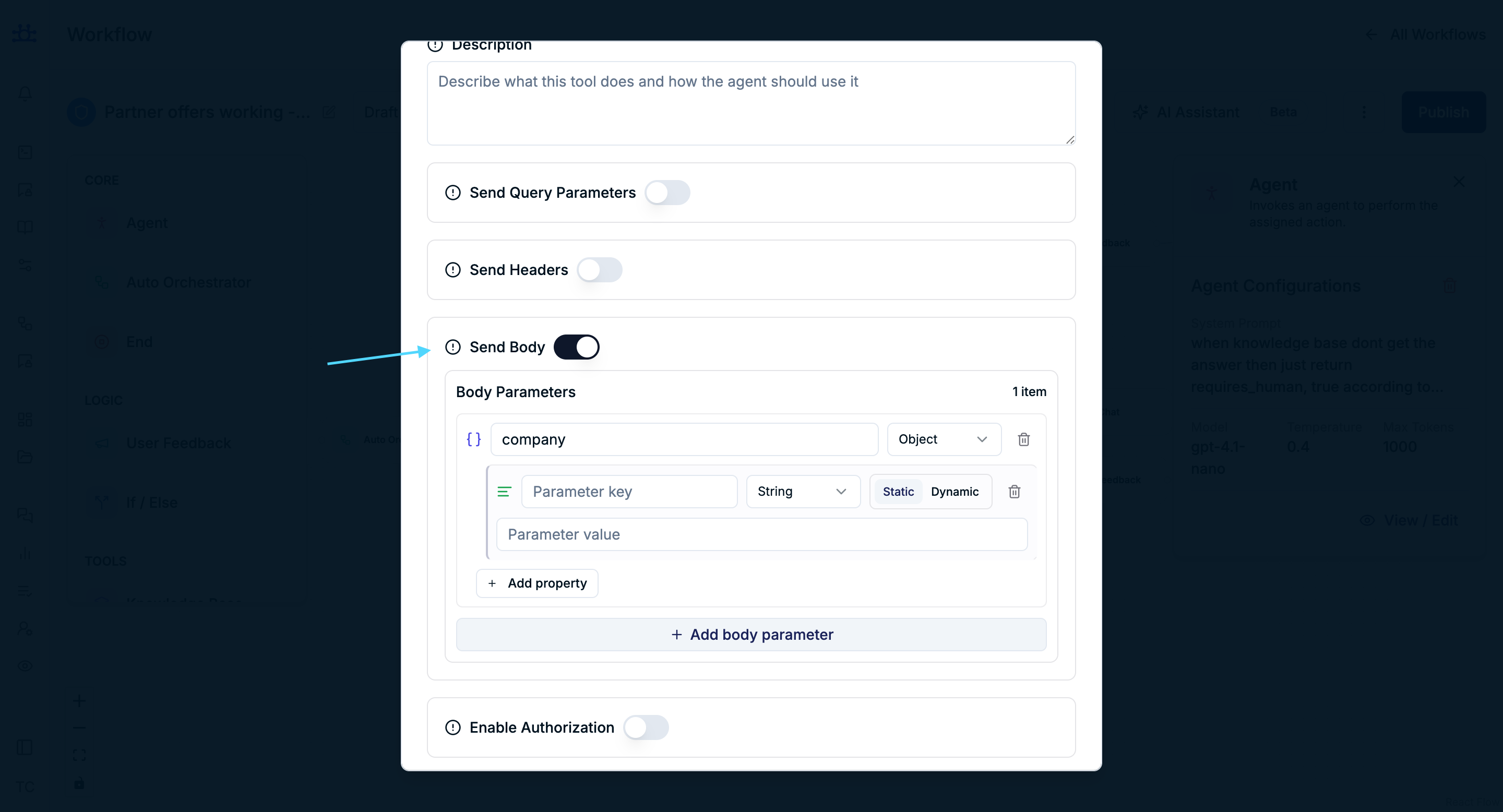
Purpose
- Sends structured data in the request body.
Body Parameter Types
- String
- Number
- Boolean
- Object
- Array
Value Source
- Static
- Dynamic
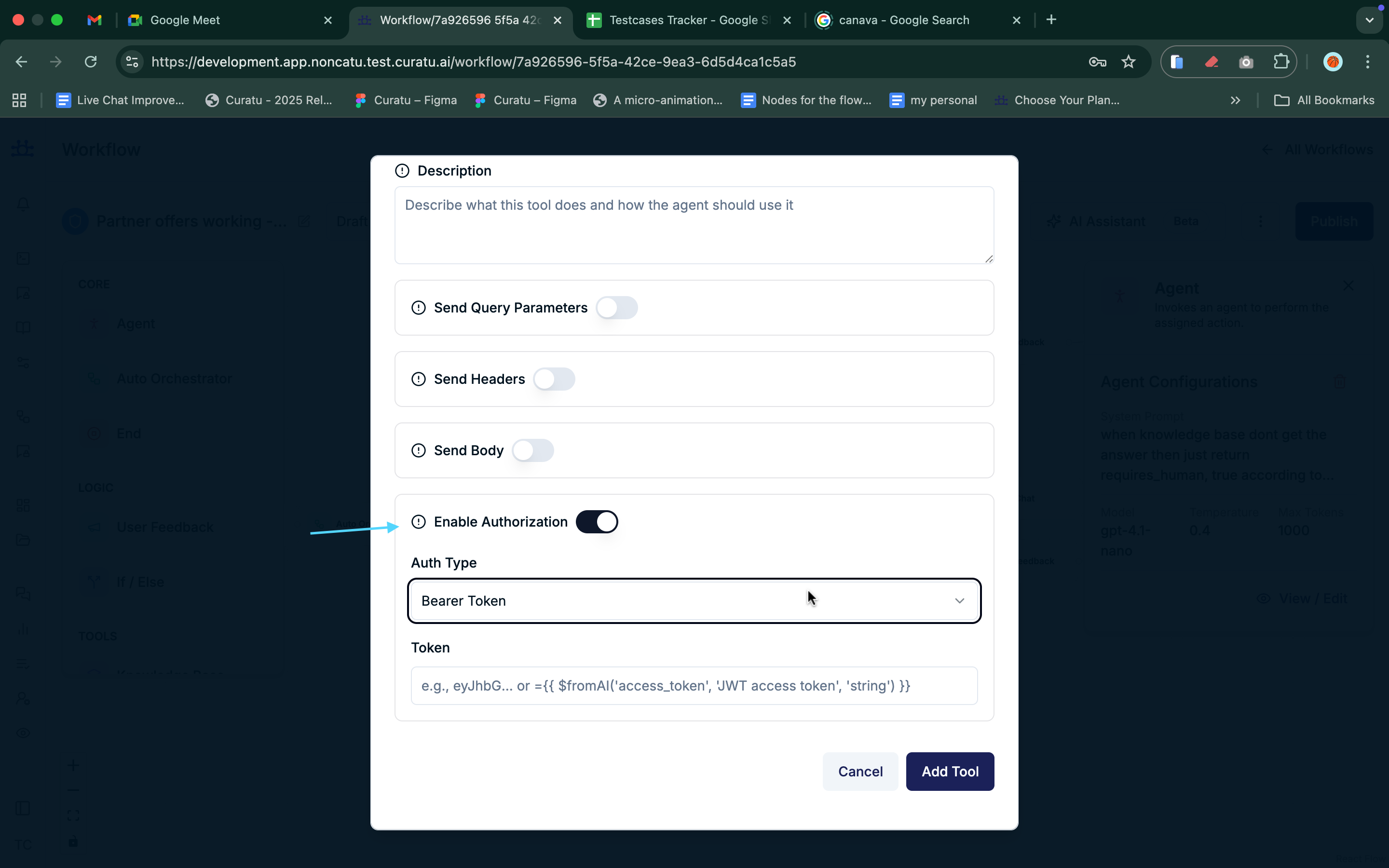
Enable Authorization
Purpose
- Secures API requests using authentication.
Supported Authorization Types
Bearer Token
- Uses a token for authorization.
Basic Auth
- Uses username and password.
API Key
- Sends an API key via a header.
Custom Header
- Uses a custom header name and value
Tool Type: Knowledge Base Retrieval
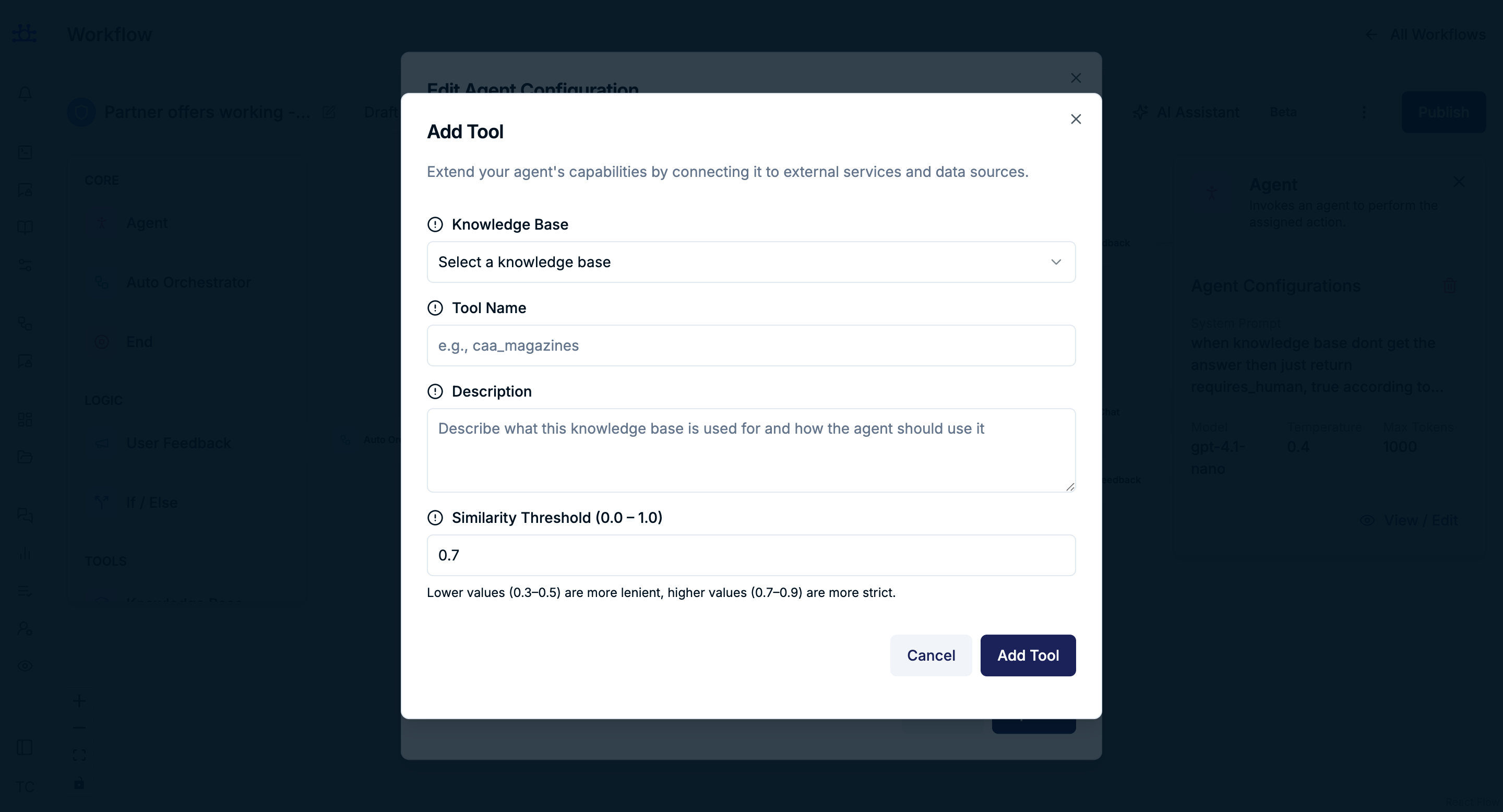
Allows the agent to answer questions using an internal knowledge base.
Knowledge Base Settings
Knowledge Base
- Selects which knowledge base the agent can access.
Tool Name
- Identifier used by the agent.
Description
- Explains how the agent should use this knowledge base.
Similarity Threshold (0.0 – 1.0)
- Controls how strict matching is when retrieving content.
- Lower values → More flexible matches
- Higher values → More precise matches
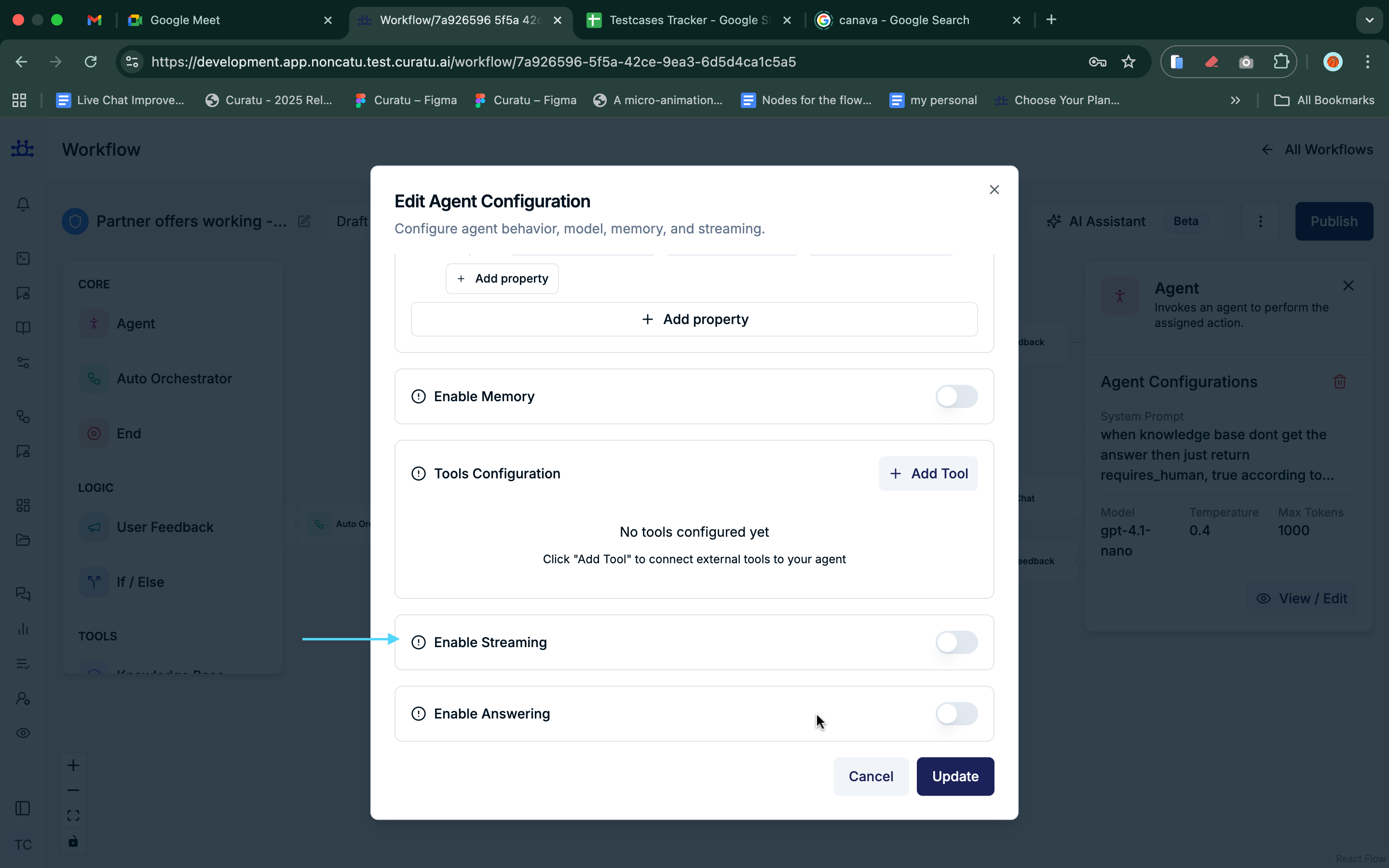
Enable Streaming
Purpose
Controls whether the agent sends responses incrementally.
Behavior
- When enabled, users see responses as they are generated.
- When disabled, the response appears all at once.
Enable Answering

Purpose
Determines whether the agent is allowed to respond to the user.
Behavior
- When disabled, the agent may perform actions without producing a visible response.
Summary
The Agent Node allows you to:
- Define AI behavior and tone
- Choose models and response style
- Structure outputs for downstream logic
- Maintain conversational memory
- Integrate APIs and knowledge bases
- Control response streaming and visibility
Together, these settings make the Agent node the core intelligence of your workflow.