Auto Orchestrator Node — Documentation
The Auto Orchestrator node is a control node that automatically decides which path or steps should be executed next in a workflow based on the current context and results from previous nodes.
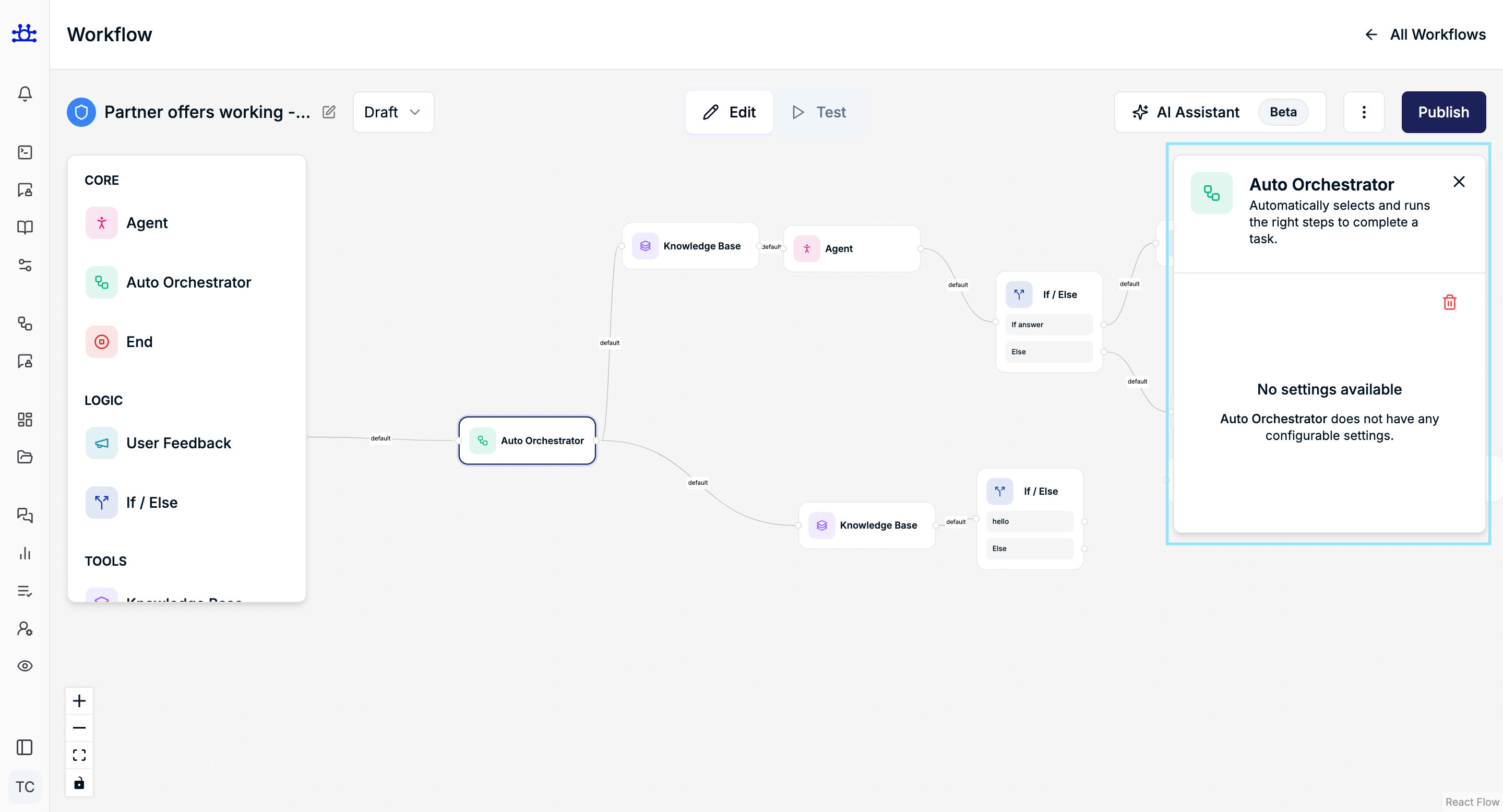
This node does not require any configuration and works entirely behind the scenes.
What is the Auto Orchestrator?
The Auto Orchestrator is an intelligent routing node that:
- Evaluates the current workflow state
- Analyzes outputs from connected nodes
- Automatically selects and executes the most appropriate next step
It acts like a smart coordinator inside the workflow.
Key Characteristics
No Manual Settings
- The Auto Orchestrator does not expose any configurable options
- There are no toggles, inputs, or thresholds to manage
- Behavior is fully automatic
This is why the settings panel shows:
“No settings available”
How It Works
- Receives input from the previous node
- Understands available connected paths
- Chooses the correct next node(s) to execute
- Routes execution without user-defined conditions
The decision-making logic is handled internally by the system.
When to Use Auto Orchestrator
Use this node when:
- You want the system to decide the flow dynamically
- Multiple paths are possible, but rules are implicit
- You want to reduce manual
If / Elselogic - The workflow should adapt automatically to different situations
Common Use Cases
- Dynamic knowledge base vs. agent selection
- Automatically choosing between multiple response strategies
- Simplifying complex workflows with many possible paths
- Reducing conditional logic maintenance
Difference Between Auto Orchestrator and If / Else
| Auto Orchestrator | If / Else |
|---|---|
| Fully automatic | Manually defined conditions |
| No configuration | Requires condition rules |
| Context-aware | Rule-based |
| Best for adaptive flows | Best for explicit logic |
Connection Behavior
- Can connect to multiple nodes
- Uses
defaultpaths internally - Decides execution order dynamically
- Works well with:
- Agent nodes
- Knowledge Base nodes
- If / Else nodes
Important Notes
- You cannot customize or override its logic
- It always runs silently
- It does not generate user-facing output
- Ideal for simplifying complex decision trees
Summary
The Auto Orchestrator node:
- Automatically controls workflow execution
- Requires no configuration
- Reduces manual logic complexity
- Makes workflows more adaptive and intelligent
It is best used as a smart decision-maker when you want the system to handle routing without explicit rules.