End Node — Documentation
The End node represents the final step of a workflow.
When execution reaches this node, the workflow stops immediately, and no further nodes are processed.
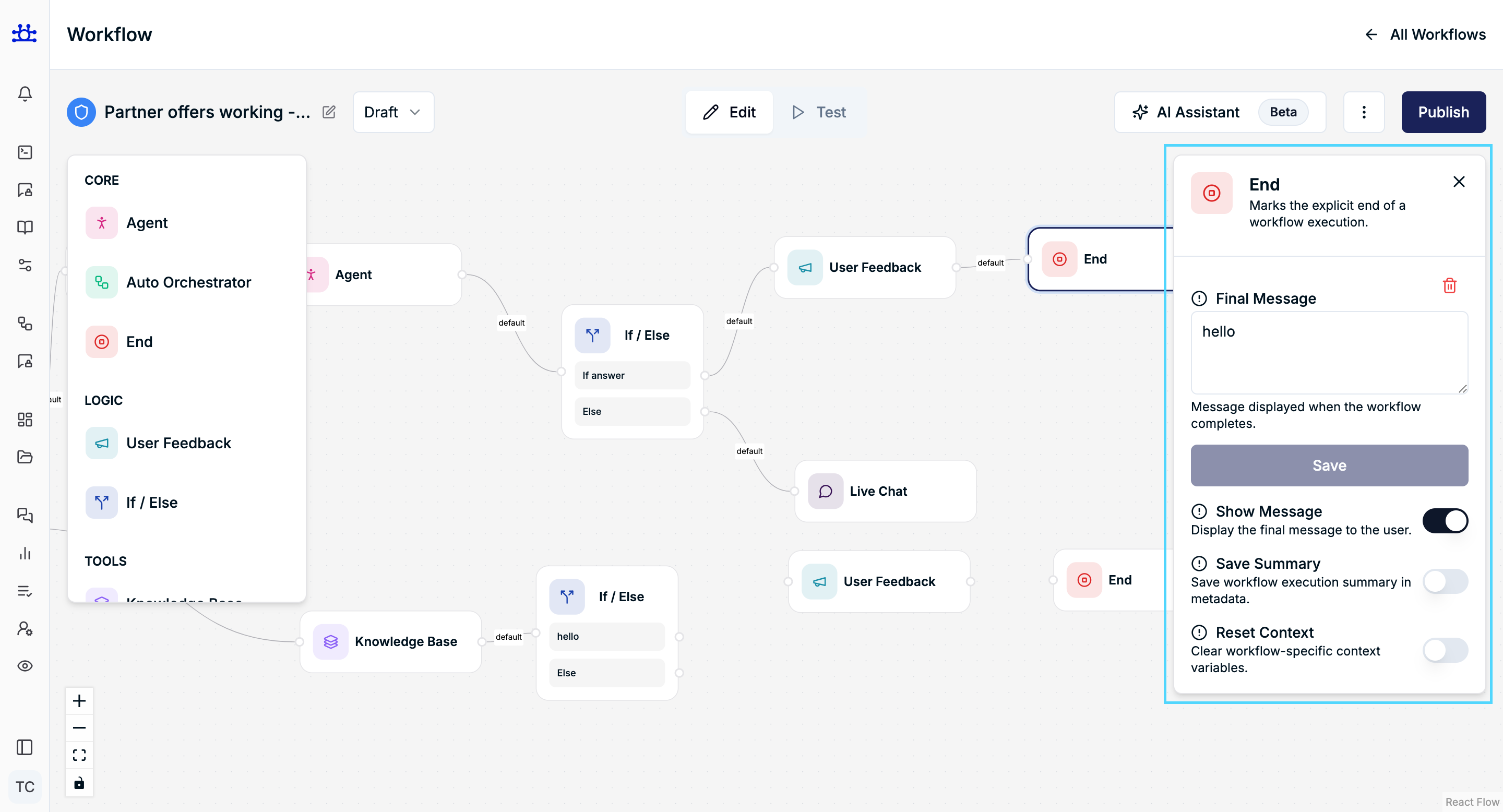
This node is typically used to:
- Display a closing message to the user
- Save execution results
- Reset workflow context
- Cleanly terminate the workflow
What is the End Node?
The End node explicitly marks the completion of a workflow execution.
Every workflow should ideally terminate at one or more End nodes to ensure predictable behavior.
Once the End node is reached, the workflow lifecycle is complete.
End Node Settings
Final Message
Purpose
Defines the message shown to the user when the workflow finishes.
Behavior
- This message is displayed after all previous nodes complete
- Used for confirmations, closures, or next-step prompts
Example
- Thank you! Is there anything else I can help you with?
Show Message
Purpose
Controls whether the final message is displayed to the user.
Behavior
- Enabled → Final message is shown in the chat/UI
- Disabled → Workflow ends silently without user-facing output
Use Case
- Enable for conversational flows
- Disable for background or system-only workflows
Save Summary
Purpose
Stores a summary of the workflow execution.
Behavior
- Saves execution metadata such as:
- Path taken
- Key outputs
- Completion status
- Useful for analytics, debugging, or audit logs
Recommended For
- Production workflows
- Monitoring and reporting use cases
Reset Context
Purpose
Clears workflow-specific context variables after execution.
Behavior
- Removes temporary memory and variables created during the workflow
- Prevents context leakage into future executions
When to Enable
- Stateless workflows
- Reusable workflows triggered multiple times
- Security-sensitive flows
Common Use Cases
- Displaying a polite closing message
- Ending after user feedback is collected
- Safely terminating conditional flows
- Finalizing multi-path workflows
Best Practices
- Always ensure each workflow path ends with an End node
- Enable Reset Context for reusable workflows
- Enable Save Summary for production monitoring
- Keep final messages short and clear
Summary
The End Node:
- Explicitly ends workflow execution
- Optionally displays a final message
- Can save execution summaries
- Can reset workflow context for clean reuse
It ensures workflows terminate cleanly, predictably, and safely.