If / Else Node
The If / Else node is used to make decisions in a workflow.
It checks a condition and then sends the flow to the correct path based on the result.
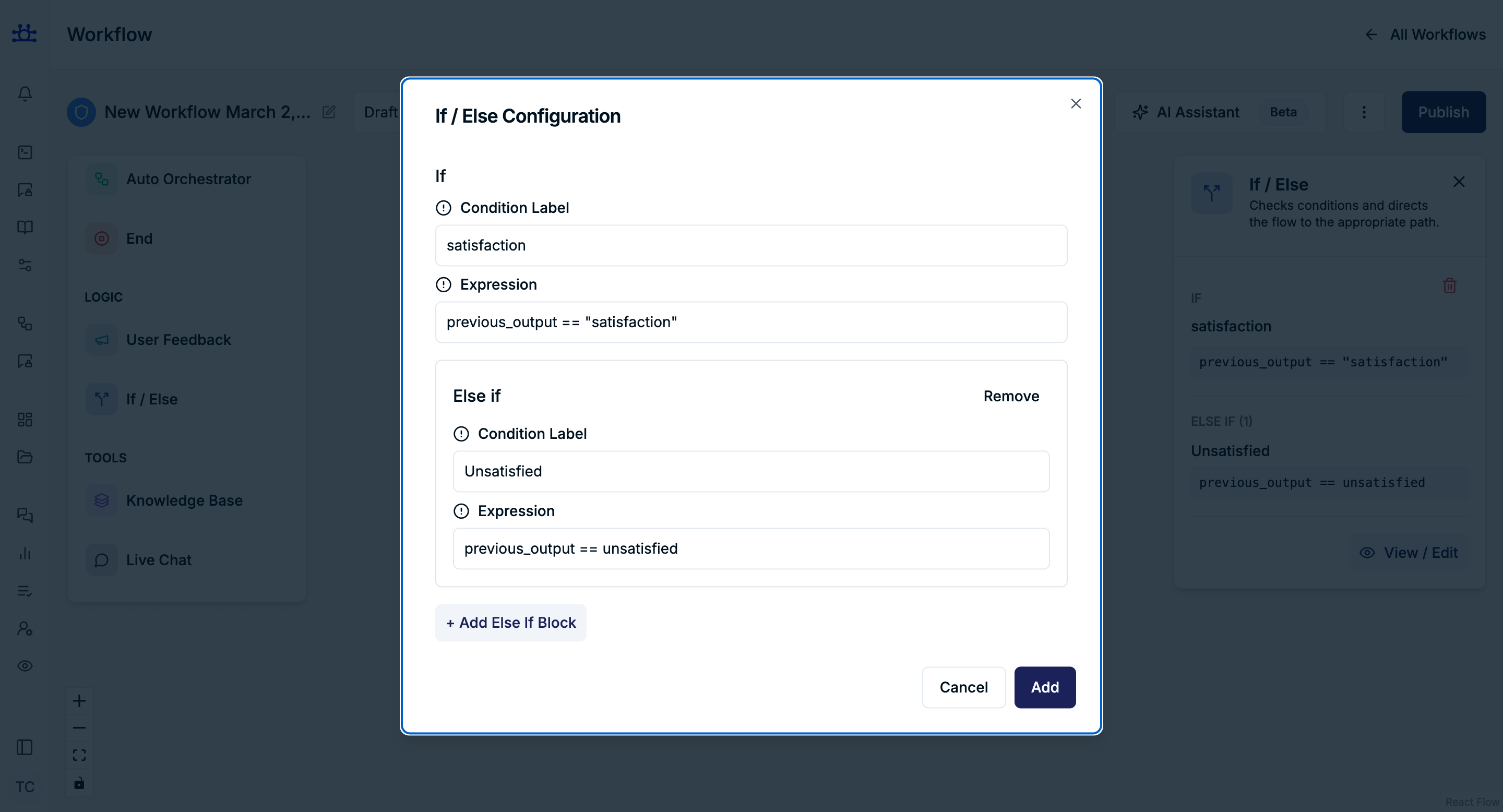
How the Node Works
- The node checks the If condition first
- If it is true, that path runs and the rest are skipped
- If it is false, it checks the Else If conditions
- If none match, the Else path runs
Only one path can run at a time.
Main Fields Explained
Condition Label
- A readable name for the condition
- Helps you understand the logic visually
- Does not affect execution
Example:
Satisfied User
Expression (Using CEL)
We are using CEL in Expression
In the Expression field, we use Common Expression Language (CEL) to write conditions.
CEL is used to define logic that decides which path the workflow should take.
Official Website: https://cel.dev/
What is CEL?
Common Expression Language (CEL) is a simple, fast, and safe expression language used to evaluate conditions.
- Similar to common programming languages
- Used for decision-making, filtering, and validation
- Works well with structured data like JSON or previous node outputs
CEL Examples
previous_output == "yes"

If the value is "yes", the condition evaluates to true.
user.age > 18

Checks if the user's age is greater than 18.
Advanced Example
previous_output == "no" || user.plan == "free"

Condition is true if:

user selected "no" OR user is on "free" plan
Question: Was this answer helpful?
If → previous_output == “yes” → Show thank-you message
Else If → previous_output == “no” → Route to live chat
Else → End workflow
Best Practices
- Always add an Else path
- Keep expressions simple and readable
- Match expressions with exact option values
- Use labels to clearly describe the logic
Summary
The If / Else node allows your workflow to:
- React to user choices
- Handle multiple scenarios
- Control execution flow safely and clearly