Knowledge Base (KB) Node — Documentation
The Knowledge Base node is used to answer user questions using pre-uploaded documents and data.
It allows the workflow to return accurate, consistent, and controlled answers without relying on free-form AI generation.
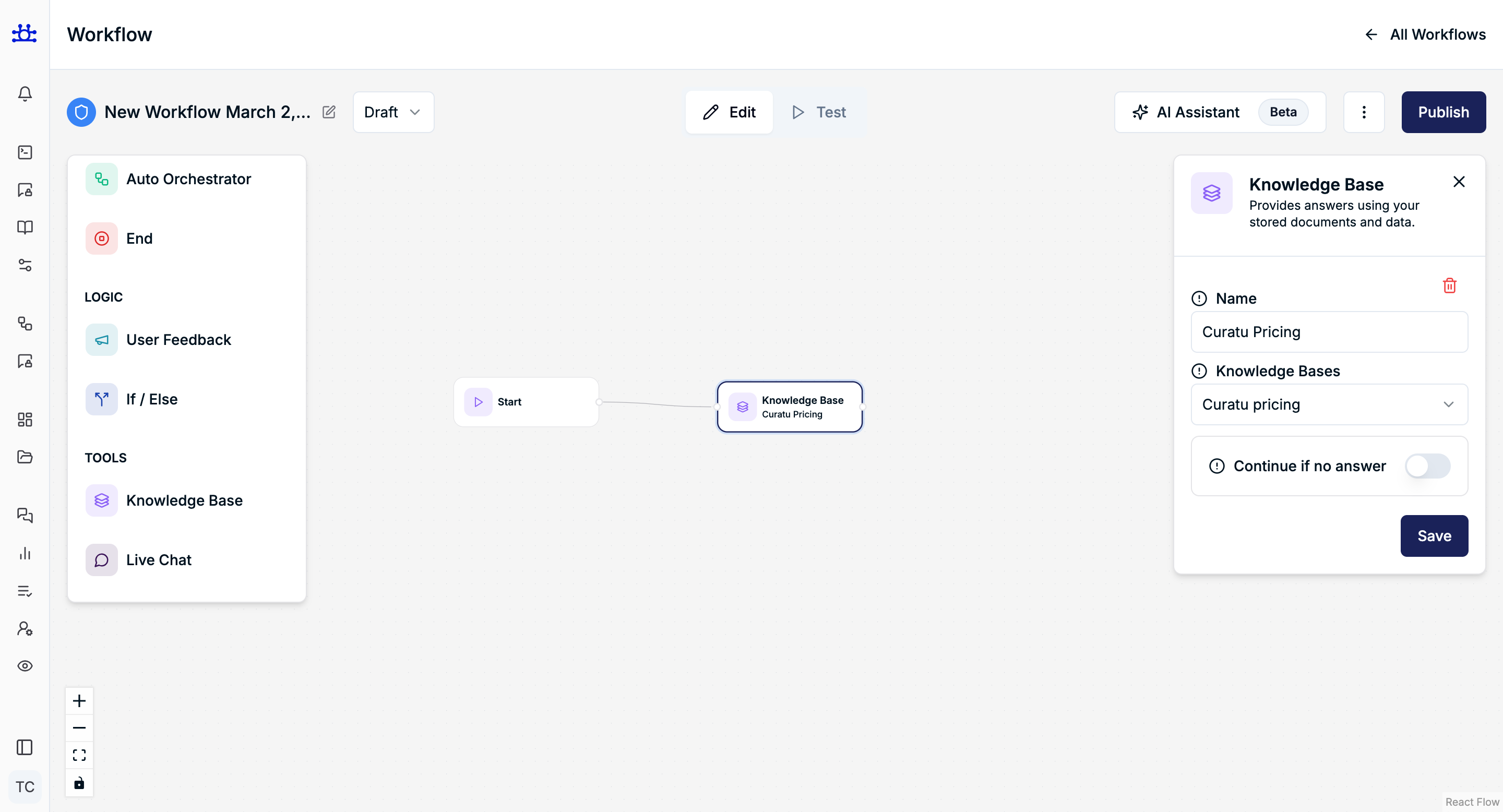
What the Knowledge Base Node Does
- Searches selected knowledge base documents
- Finds the most relevant content
- Generates an answer strictly based on stored data
- Prevents hallucinations by limiting responses to known information
Node Settings Explained
Name
Purpose
A readable identifier for this Knowledge Base node inside the workflow.
Example
Curatu Pricing
Use clear names when you have multiple KB nodes.
Knowledge Bases
Purpose
Selects which knowledge base the node should search.
Behavior
- The agent only uses the selected knowledge base
- Multiple KBs can exist, but one is chosen per node
Example
Curatu pricing
Continue if No Answer
Purpose
Controls what happens when no relevant information is found.
Behavior
- Enabled → Workflow continues to the next connected node
- Disabled → Workflow stops if no answer is found
When to Enable
- You want fallback logic (e.g., Live Chat or Agent)
- You want to handle missing answers gracefully
When to Disable
- Knowledge base must always provide an answer
- Strict information-only workflows
How It Works (Flow Example)
- User asks a question
- KB node searches documents
- If a match is found → Answer is returned
- If no match:
- Continue enabled → Next node runs
- Continue disabled → Workflow ends
Summary
The Knowledge Base node:
- Answers questions from stored documents
- Ensures factual and consistent responses
- Reduces hallucinations
- Acts as the foundation for reliable AI workflows